Канал на RUTUBE:

walkthrough for
0:00 Im assuming youre finished forking and cloning down Turings back-end prework curriculum as per these instructions: forking-the-module-0-capstone-repository video walk-through here:
0:15 opening up the directions for day_0
1:10 cding into the day_1 directory so we can get some git practice!
2:10 difference between temporarily opening a file in Atom and permanently opening a file in Atom
2:25 setting up atom the way I like it when Im writing code
3:10 running our Ruby code!
3:13 difference between saved and unsaved files this might save you a lot of time down the road
3:41 the Blue Dot in Atom means the file has not been saved
4:03 how to turn on Atoms Autosave feature
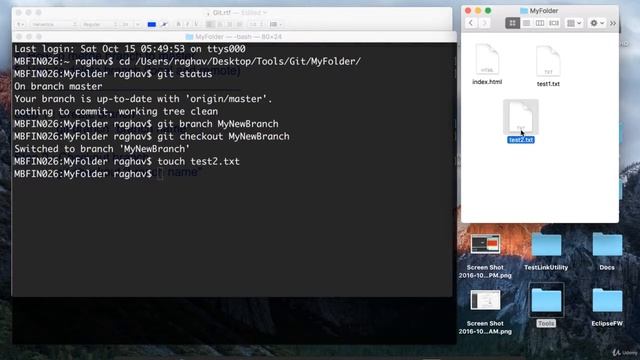
5:05 Beginning Git practice! Woot!
5:18 running git status for the first time!
5:40 running git status with two newuntracked files
6:50 running git add...
for the first time
7:03 running git status and seeing both unstaged AND staged files
7:52 committing these changes!
8:05 running git diff for fun and profit
8:20 how to get out of the view of the git diff output
8:25 running git commit for the first time!
9:00 running git log to see your commit history and other peoples commit histories
9:40 pushing our new commit up to Github
10:00 dissecting the git push origin master command.
What does it all mean?
10:30 running git remote for the first time
10:40 running git remote -v for the first time
11:05 running git push origin master for the first time
11:45 navigate to your repository online to see the changes you just pushed
12:25 deep dive on what the origin piece of git push origin master means.
Skip to 14:55 to if you want to skip this bit
12:30 re-grab the URL of this git repo
12:44 add the smelly_socks remote URL.
13:30 adding some more changes so we can test the smelly socks remote
13:50 pushing to the smelly_socks remote with git push smelly_socks master
14:38 removing the smelly_socks remote
Источник: rutube.ru