Канал на RUTUBE:

Setup of Eclipse Mosquitto MQTT on Synology is very easy but in order to get credentials for users working we need a bit different approach by using OpenSSL version of Eclipse MQTT.
In this video Ill go through basic installation of MQTT in Docker works for Synology but also other systems and Ill show you have to add user credentials to secure your setup.
In order to better enhance security of your system check this link here:
Eclipse Mosquitto 2.0 release notes:
00:00 Intro
00:28 Thank you to channel members
00:41 Why new MQTT video
02:07 Connect using terminal
02:45 Create folders for MQTT
03:31 Creating initial config file
07:34 Docker run command also in video description
10:44 Verify everything is working
11:03 Configuring username and password for MQTT access
11:34 Use Synology Docker UI to configure
12:13 Use Portainer to configure
12:53 Creating file with credentials
14:33 Killed! error when using mosquitto_passwd
14:56 Adding via mosquitto_passwd command
15:49 Adding new users via CLI
17:01 Activating credentials
17:30 Wrapping up the video
Code:
Docker install command
__________
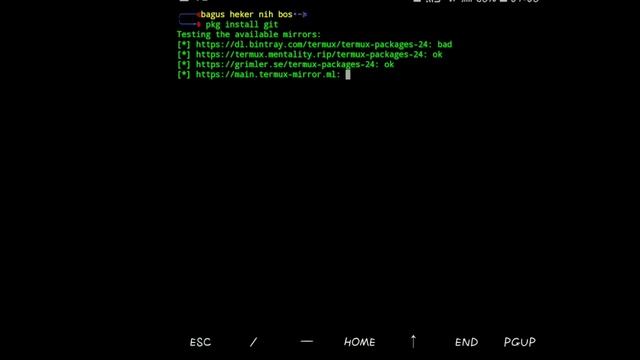
sudo docker run --namemqtt -itd --restartalways --nethost -v volume1dockermqttconfig:mosquittoconfig -v volume1dockermqttdata:mosquittodata -v volume1dockermqttlog:mosquittolog -v volume1dockermqttconfigmosquitto.conf:mosquittoconfigmosquitto.conf eclipse-mosquitto:openssl
__________
sample mosquitto.conf
__________
persistence true
persistence_location mosquittodata
log_dest file mosquittologmosquitto.log
password_file mosquittoconfigpwfile
allow_anonymous true
listener 1883 192.168.1.202
__________
Commands for credentials:
mosquitto_passwd -U FILENAME - to parse file with credentials
mosquitto_passwd -c FILENAME USERNAME - to create file filename and add user username to it
mosquitto_passwd -b FILENAME USERNAME PASSWORD - to add to existing file filename new user username with password.
Please give me a thumb up if you liked this video subscribe if you still havent and Ill see you next time!
Have fun!
BeardedTinker
P.S.
If you would like to support me and this channel you can JOIN and become member!
Twitter: BeardedTinker
Discord:
howto HomeAssistant mqtt
Источник: rutube.ru




![[Live] sakamata1 | Saint Snow - DROPOUT!? [Kowari's Extra] +HDDT 97.52% {850pp 3❌} - osu!](https://pic.rtbcdn.ru/video/86/7e/867ec0e7085da869eaf5a4b38e3b3e12.jpg)