
 Канал на RUTUBE: Bootstrap Оптимизация производительности | Тема: Технологии и интернет | 03.12.2023 | Смотрят: 6
1.
Close and quit the Blocknet wallet if it is running.
2.
Make sure you are running the latest version
3.
Download the latest bootstrap files.
4.
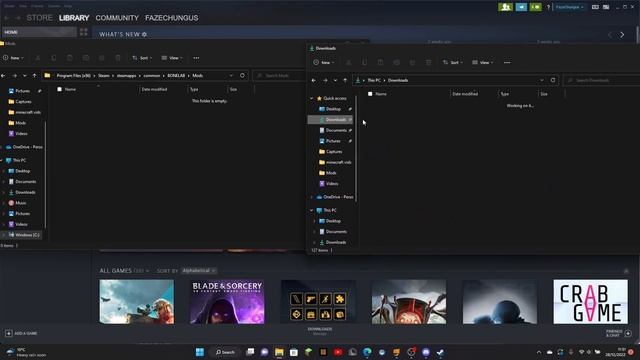
Find the downloaded BlocknetDX.zip file.
The default location is in Downloads.
Double-click the file to unzip and reveal a folder named BlocknetDX
5.
Navigate to the data directory.
LibraryApplication SupportBlocknetDX
6.
Remove all files and folders EXCEPT for wallet.dat blocknetdx.conf xbridge.conf may not be present servicenode.conf and the backups folder.
Again DO NOT delete the wallet.dat file as it contains the private keys for your funds.
Deleting this file will result in loss of funds.
7.
Inside the newly download and unzipped BlocknetDX folder there are blocks and chainstate folders.
Move these 2 folders into the Blocknet wallets data directory that you just removed files from.
8.
Start the wallet and syncing should begin at the bootstraps last block.
Notes
Download a new wallet
Download the bootstrap
Источник: rutube.ru