Канал на RUTUBE:

This video is copyrighted material of Nissan North America Inc.
and should not be copied edited or reproduced without the permission of Nissan.
For information please visit You will find quick reference guides and other useful information about your warranty Bluetooth system and much more!
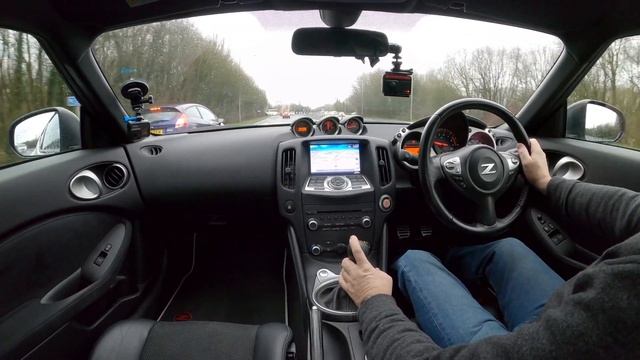
Press the NAV button to display the NAVIGATION screen and set a destination.
To set a destination using an address:
Touch STREET ADDRESS
If necessary change the state by touching CHANGE STATE OR PROVINCE and entering the name of the correct state
Touch CITY and enter the name of the city on the touchscreen keyboard.
As you enter each letter the number of potential matches is shown in the upper right corner and the keyboard is narrowed down to the remaining possible letters based on what has already been entered.
Touch LIST or continue entering the name to see a list of available cities and then touch the correct city
Next enter the HOUSE NUMBER using the touchscreen
Enter the name of the STREET.
The touchscreen keyboard functions like the one used to enter the city name.
If the previously entered house number does not exist for that street the system prompts you to either enter a new one or touch SHOW MAP to view a map of the street with the destination temporarily set as the midpoint address on that street.
With the destination displayed on the screen:
Touch SAVE to store the location in the address book for future use
Touch MOVE to move the location by touching a different location on the displayed map or
Touch START to begin route calculation and guidance.
Additional methods of setting a destination after pressing the NAV button include:
PREVIOUS DESTINATIONS that have been entered into the system
POINTS OF INTEREST such as nearby restaurants gas stations parking and ATMs and
HOME which allows you to enter and save your home address as a destination.
Touch NEXT PAGE to access additional ways to set a destination such as:
ADDRESS BOOK to set a previously saved address as the destination
INTERSECTION
CITY CENTER
MY POINTS OF INTEREST
and if so equipped CONNECTED SEARCH.
The MY POINTS OF INTEREST feature allows you to access personalized points of interest saved to a USB device connected to the vehicle.
Please see your Navigation System Owners Manual for important safety information system limitations and additional operating information.
Источник: rutube.ru