Канал на RUTUBE:

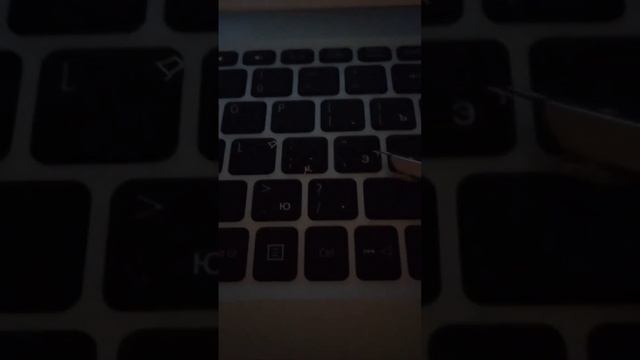
In todays video were looking at Zoom Meeting Keyboard Shortcuts.
In Zoom Online Class knowing zoom meeting keyboard control techniques will give you an advantage.
Ive got Zoom Keyboard Shortcuts for PC Laptop and Mac.
In this tutorial video I give more focus to the three common keyboard shortcut keys that a student is using during online class.
First is the Audio or Microphone
Second is the Camera or Video
Third is the Raise and Lower Hand
PC Keyboard Shortcuts
Alt V: StartStop video
Alt A: Muteunmute audio
Alt M: Muteunmute audio for everyone except host
Alt S: Launch share screen window and stop screen share
Alt Shift S: Startstop new screen share
Alt T: Pause or resume screen share
Alt R: Startstop local recording
Alt C: Startstop cloud recording
Alt P: Pause or resume recording
Alt N: Switch camera
Alt Shift T: Screenshot
F6: Navigate among Zoom popup windows
Ctrl Alt Shift: Move focus to Zooms meeting controls
PageUp: View previous 25 video stream in gallery view
PageDown: View next 25 video stream in gallery view
Alt F1: Switch to active speaker view in video meeting
Alt F2: Switch to gallery video view in video meeting
Alt F4: Close the current window
Alt F: Enter or exit full-screen
Alt H: Displayhide in-meeting chat panel
Alt U: Displayhide participants panel
Alt I: Open invite window
Alt L: Switch to portraitlandscape view
Ctrl F: Search
Ctrl Tab: Move to the next tab
Ctrl Shift Tab: Move to the previous tab
Ctrl Alt ShiftH: Showhide floating meeting controls
Alt Y: Raiselower hand
Alt Shift R: Gain remote control
Alt Shift G: Stop remote control
Ctrl W: Close current chat session
Ctrl Up: Go to previous chat
Ctrl Down: Go to next chat
Ctrl T: Jump to chat with someone
MAC Keyboard Shortcuts:
Command J: Join meeting
Command Control V: Start meeting
Command J: Schedule meeting
Command Control S: Screen share via direct share
Command W: Prompt to end or leave meeting
Command Shift A: Muteunmute audio
Command Control M: Mute audio for everyone except the host
Command Control U: Unmute audio for everyone except host
Space: Push to talk
Command Shift V: Startstop video
Command Shift N: Switch camera
Command Shift S: Startstop screen share
Command Shift T: Pause or resume screen share
Command Shift R: Start local recording
Command Shift C: Start cloud recording
Command Shift P: Pause or resume recording
Command T: Screenshot
Command Shift W: Switch to active speaker view or gallery view
Control P: View previous 25 participants in gallery view
Control N: View next 25 participants in gallery view
Command U: Displayhide participants panel
Command Shift H: Showhide in-meeting chat panel
Command I: Open invite window
Command W: Close the current window
Command L: Switch to portrait or landscape view
Ctrl T: Switch from one tab to the next
Command Shift F: Enter or exit full-screen
Command Shift M: Switch to minimal window
Ctrl Option Command H: Showhide meeting controls
Option Y: Raise handlower hand
Ctrl Shift R: Gain remote control
Ctrl Shift G: Stop remote control
Command K: Jump to chat with someone
DISCLAIMER!
No copyright infrigement intended! I do not own the Audio Photos featured in this video.
They belongs to their rightful owners.
This video is for EDUCATIONAL PURPOSES ONLY.
COPYRIGHT INFRIGEMENT NOT INTENDED.
Источник: rutube.ru